Readable by you.
Illegible over your shoulder.
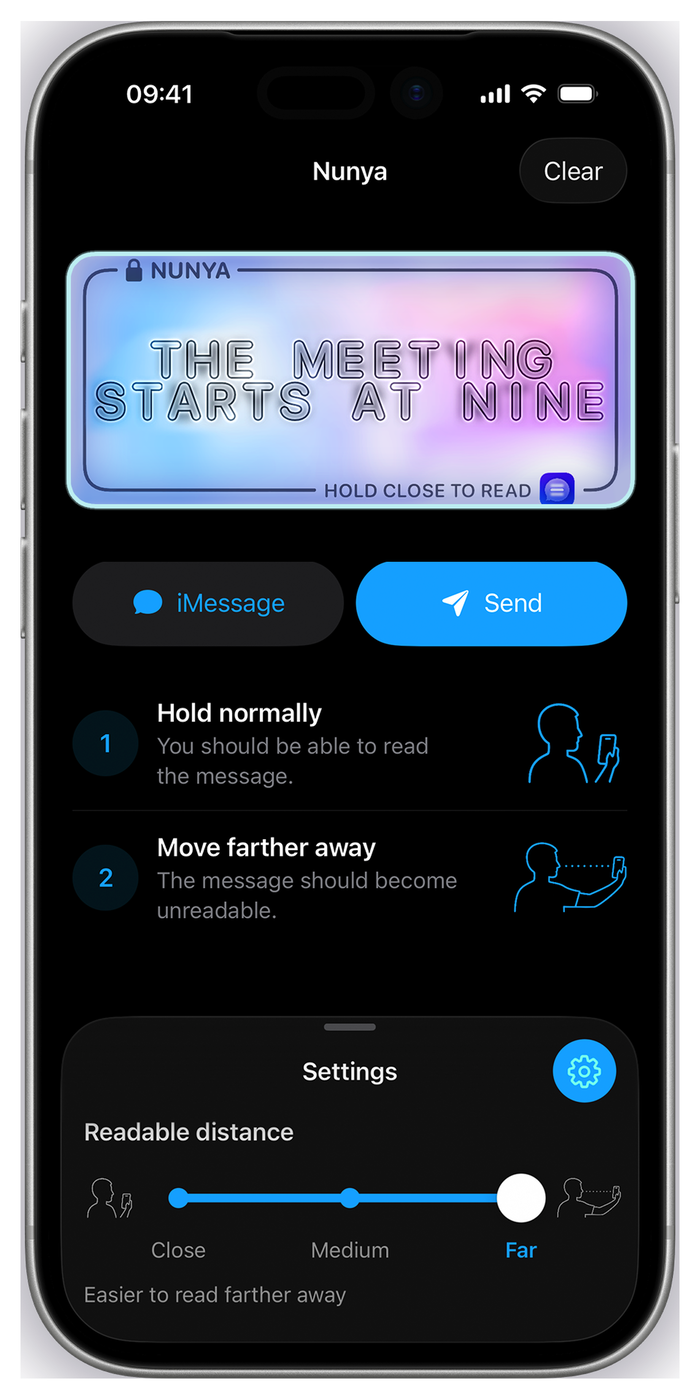
Nunya is a digital privacy screen for your messages. Your words stay clear to you, while becoming difficult to read from a seat away.
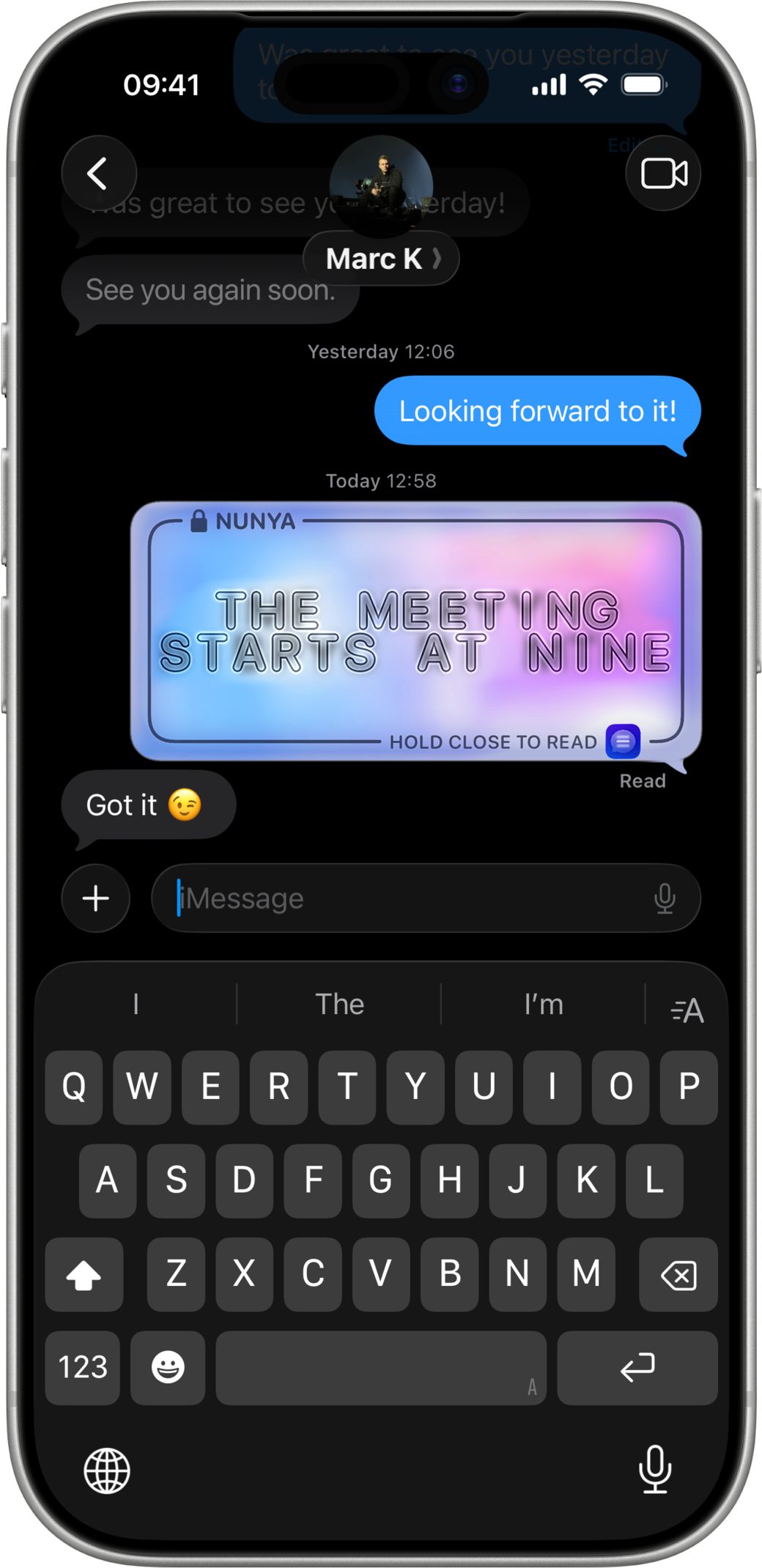
Message visible
In your hand, about 40 cm
Scroll, or tap a distance above
Works in any chat app
Nunya makes the message and hands it to the iOS share sheet, so it goes wherever you already talk. No new network, no new contacts list, nothing for the other person to install.
-
 iMessage
-
 WhatsApp
-
 Signal
-
 Telegram
-
 Mail
Built-in iMessage app
Open Nunya inside a conversation, type, choose a readable distance, and send.
- Compose without leaving the conversation
- Close, Medium and Far right there in the composer
- No need to have Nunya to receive the message
- Settings stay in sync between the app and the Messages extension
Automatic setup
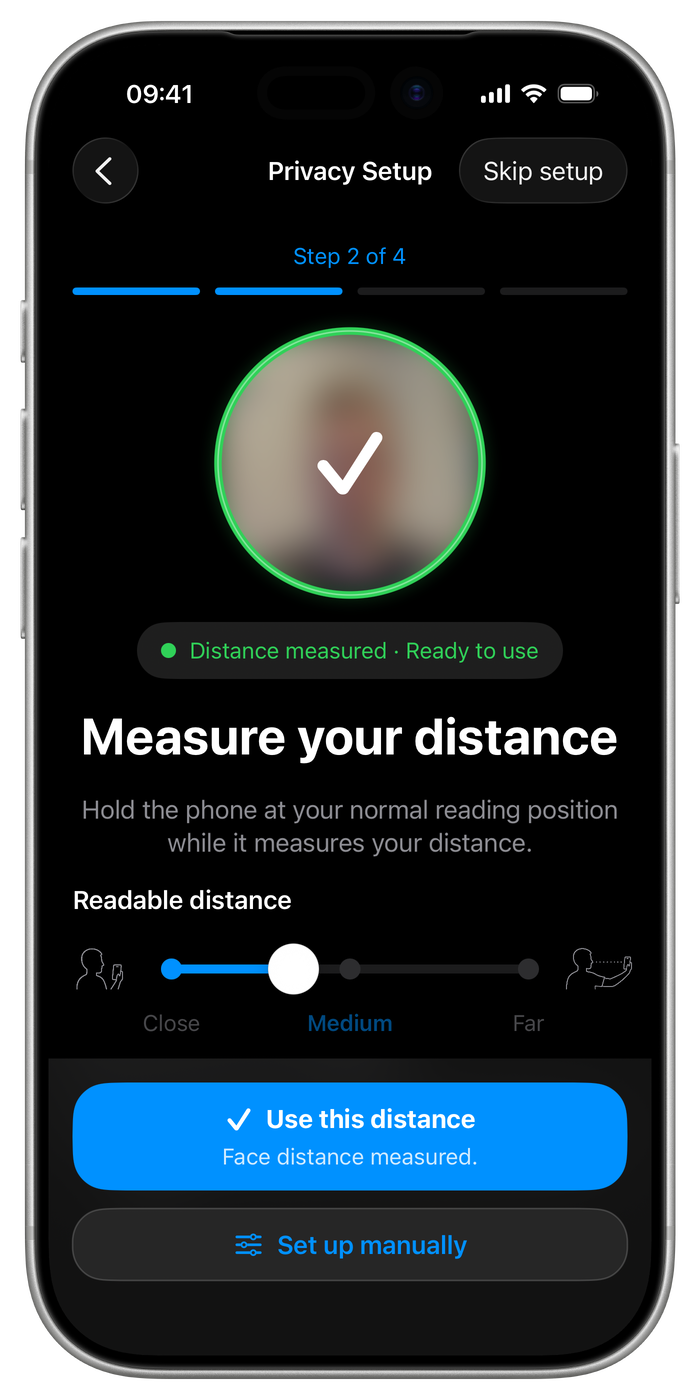
Everyone holds their phone differently. Hold yours where you normally read and the front camera works out how far away it is, then picks your best readable distance.
- All processed on your device. No image or facial data is stored
Good to know
Can the person next to me really not read it?
How far away someone needs to be depends on their eyesight, the lighting and your screen brightness, so Nunya lets you set the distance. It's not always perfect, but when setup correctly it works pretty well!
Where would I actually use this?
On a train, bus or plane. Maybe standing in a queue. Any time you are showing one person a message and would rather others who might see your phone not be able to read it.
How do I write the message?
You type straight into the Nunya app or Nunya iMessage app. Your words never sit in an ordinary visible text field, and the effect is applied as you go. Pick Close, Medium or Far, or use the advanced slider to set an exact distance yourself.
What does it cost?
Nunya is free to download and comes with five sends. If you want to keep going, a one-off in-app purchase unlocks unlimited sending for $4.99 or £4.99. There is no subscription, and the person receiving your message never pays anything.
What does the recipient see?
If they have Nunya, the message is redrawn for their own chosen distance and they can adjust it. If they do not, they get a branded image of the same artwork, sent at the Far setting so it is the easiest version to read by holding the phone close.
Do I have to let it use the camera?
No. Camera setup is optional and only estimates how far your face is from the screen so Nunya can pick a starting distance. Manual setup is always available, and you can redo either at any time from Privacy settings.
Does it work in dark mode?
The app follows your phone's appearance. The artwork itself keeps its calibrated look, because that is what the effect is tuned for.
Nunya is a visual privacy aid, not encryption. Someone close enough can still read your message, and so can anyone you send it to. It only makes the glance from nearby harder. There is no account, no sign-in and no data collected: the optional camera setup runs on your device and stores nothing. Read the privacy policy.
Keep your messages to yourself
Nunya. Snoop-safe messages.
Download on the App StoreFree with five sends. One-off unlock for unlimited sending, $4.99 / £4.99, no subscription. Requires iOS 17 or later.